
I follow SEO and GEO developments closely because search in 2026 mixes traditional rankings with AI-driven answer engines and location signals. I want you to spend time on tools that move the needle, so I focus on platforms that deliver measurable visibility gains, clear publishing workflows, and reliable integrations.
Using the right toolset helps you capture clicks, citations in AI answers, and local intent without wasting hours on noisy dashboards.
Top Picks
|
Category |
Product |
Score |
|---|---|---|
|
🏆 Best for AI Citations |
91/100 |
|
|
🎯 Best for GEO Strategy |
84/100 |
|
|
🚀 Best for Automation |
83/100 |
|
|
⭐ Best for Content Teams |
90/100 |
|
|
🔧 Best for Technical Monitoring |
78/100 |
How I Selected These Tools
I evaluated each product for how well it addresses the emerging mix of Google rankings, AI answer visibility, and GEO signals. My primary filters were AI/GEO visibility accuracy, content generation quality, and how tightly the tool integrates with Google Search Console and common CMSs.
I also weighed workflow clarity and support responsiveness because dense feature sets only win when teams can use them reliably. Finally, I considered scalability and pricing transparency so the recommended tools work for solo creators, agencies, and growing brands alike.
🏆 Best for AI Citations
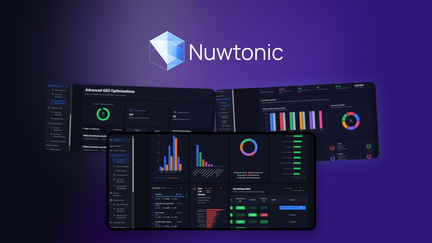
I’ve used Nuwtonic for both day-to-day content work and larger AI/GEO experiments. On a normal day I rely on its Content Planner and on-page audits to prioritize what to fix; for launches or local campaigns I use the GEO audit and citation tracking to target specific prompts and markets. The platform shines when you want a single place to track Google Search Console signals alongside whether your pages are being cited by ChatGPT, Claude, or Perplexity.
It’s feature-dense, so I recommend it when you need deep AI visibility data and a workflow that can move recommendations into publishing.
What People Say
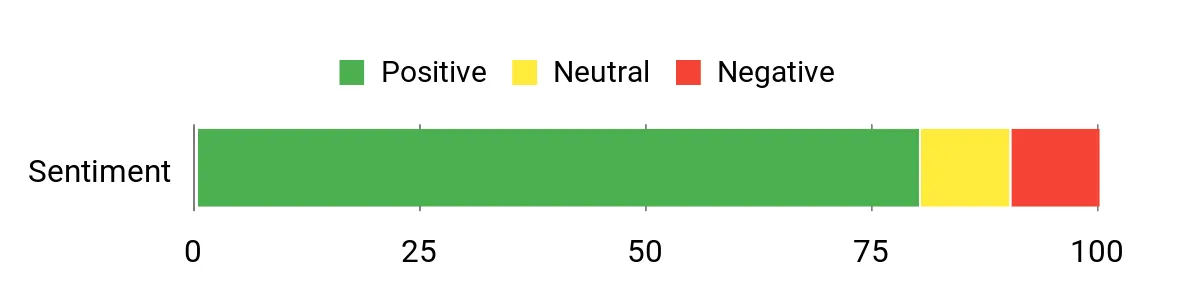
Users praise Nuwtonic for driving AI citations and for a content workflow that pairs audits with actionable fixes. Feedback highlights prompt tracking, citation gap insights, and strong support, while some users note the platform can feel feature-dense at first.
Overall Sentiment: Positive
🗣️ Shiva.K.Nayak
My site started getting cited in ChatGPT, Claude, and Perplexity after following Nuwtonic’s recommendations. The Content Planner and GSC-driven performance dashboard helped me find pages to fix and the impressions jumped dramatically while I tracked citation wins.
🗣️ CuddlyWuddly
Prompt tracking and AI visibility dashboards made a big difference for targeted GEO work. The tool surfaces citation gaps, runs GEO audits, and has an auto-traffic campaign feature that automatically selects pages to improve — very useful when you want focused, actionable tasks.
Long-Term Cost Benefits
Consolidating AI visibility, content planning, and GSC-driven audits into one workflow reduces tool switching and saves editorial time. Over months, the time saved on discovery and prioritization can free teams to focus on higher-value content work rather than scattershot optimizations.
Return on Investment
If your goal is to appear inside AI answers as well as improve organic presence, the visibility gains can translate into brand awareness that standard clicks don’t capture. I look for increases in citations and topical authority as the primary ROI signals rather than immediate click growth.
Usability
|
Aspect |
Ease Level |
Notes |
|---|---|---|
|
Onboarding |
Moderate |
There’s a learning curve; documentation and demos help, but expect a few sessions to map features to your workflow. |
|
Dashboard |
Moderate |
Feature-dense layout gives depth but takes time to navigate efficiently. |
|
Content Planner |
Easy |
Straightforward pipeline and AI/readability scores that integrate well into publishing workflows. |
Performance & Speed
Analyses are thorough and can take longer on large sites; expect more time for deep audits and topical map builds but the results are detailed enough to justify the runs.
Integrations
|
Software |
Integration Quality |
|---|---|
|
Google Search Console |
Excellent |
|
WordPress |
Good |
|
Shopify |
Good |
|
Webhooks / API |
Good |
Security
|
Feature |
Protection Level |
|---|---|
|
Data Access Controls |
Moderate |
|
AI Content Safeguards |
Needs Improvement |
|
Backups & Export |
Good |
Collaboration
Supports multi-user accounts, agency workflows, and founder-led onboarding calls for teams that need hands-on help.
Reporting & Analytics
Unified dashboards show GSC performance, AI citation share, prompt coverage, and forecasted opportunities so you can prioritize pages with data-driven confidence.
Key Benefits
- Track AI citations across multiple assistant platforms
- Turn GSC signals into prioritized fixes and publish-ready drafts
- Build topical maps and GEO-optimized content for local visibility
Rating: 4.62 (total: 13+)
🎯 Best for GEO Strategy
I reach for Blazly when I need a GEO-first approach that ties content planning to AI visibility. On a typical day I use the pillar-and-cluster generator and humanization tools to draft posts that feel local and readable.
For special launches or local campaigns I run GEO crawls, fix internal linking, and generate AI.json files so AI crawlers can actually read my site. The interface focuses on content workflows rather than raw metrics, and the built-in publishing to WordPress or Webflow keeps things moving from plan to live.
What People Say
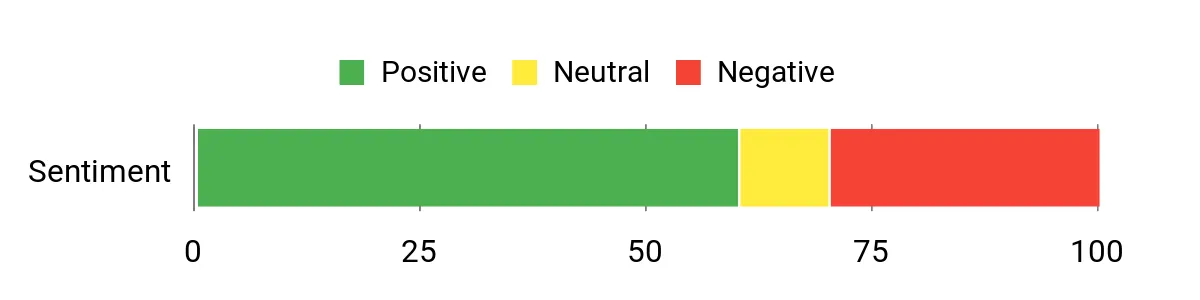
Feedback centers on Blazly’s strength in GEO content workflows and personal support. Users praise the pillar page generator and AI visibility features, while a minority report access or setup hiccups that slowed initial analysis.
Overall Sentiment: Neutral
🗣️ christian814
Blazly delivers a solid GEO/SEO workflow, and the pillar page generator is especially useful. The demo made the tool’s value obvious and the co-founder provided hands-on support that helped me get started quickly.
🗣️ priesner
Blazly GEO helped me compare AI visibility against competitors and offered practical strategies to improve citations. The combination of GEO and SEO modules felt well thought out and relevant to where search is heading.
Long-Term Cost Benefits
Consolidating GEO content planning, AI visibility tracking, and direct publishing reduces time spent moving drafts between tools. Over months this lowers editorial overhead and cuts coordination time for local campaigns.
Return On Investment
ROI shows up as improved local relevance and AI citations rather than immediate traffic spikes. If you need targeted local authority and fewer tool handoffs, the productivity gains can outweigh setup costs.
Usability
|
Aspect |
Ease Level |
Notes |
|---|---|---|
|
Setup |
Moderate |
Mostly straightforward, though some users required support for activation and crawler access. |
|
Learning Curve |
Moderate |
Feature-rich workflows take a few sessions to master, especially GEO crawl settings. |
|
Support |
Variable |
Several users praised rapid, hands-on founder support, while a few reported slower response times in specific cases. |
Performance & Speed
GEO crawls and pillar builds are thorough and can take time on larger sites; most tasks run at a reasonable pace but expect longer runs for deep audits.
Integrations
|
Software |
Integration Quality |
|---|---|
|
WordPress |
Good |
|
Webflow |
Good |
|
Google Search Console |
Excellent |
|
AI Assistants (ChatGPT, Gemini, Perplexity) |
Excellent |
Security
|
Feature |
Protection Level |
|---|---|
|
Crawler Access Controls |
Moderate |
|
Account Recovery |
Needs Improvement |
|
Data Export |
Good |
Collaboration
Supports team accounts, agency workflows, and direct founder-led demos to get multiple users aligned.
Reporting & Analytics
Dashboards combine pillar plans, AI citation tracking, GEO health scores, and competitor comparisons so you can prioritize pages with clear next steps.
Key Benefits
- Create pillar-and-cluster plans from a single keyword
- Generate humanized GEO content ready for CMS publishing
- Track AI citations and competitor visibility across assistants
Rating: 4.55 (total: 31+)
🚀 Best for Automation
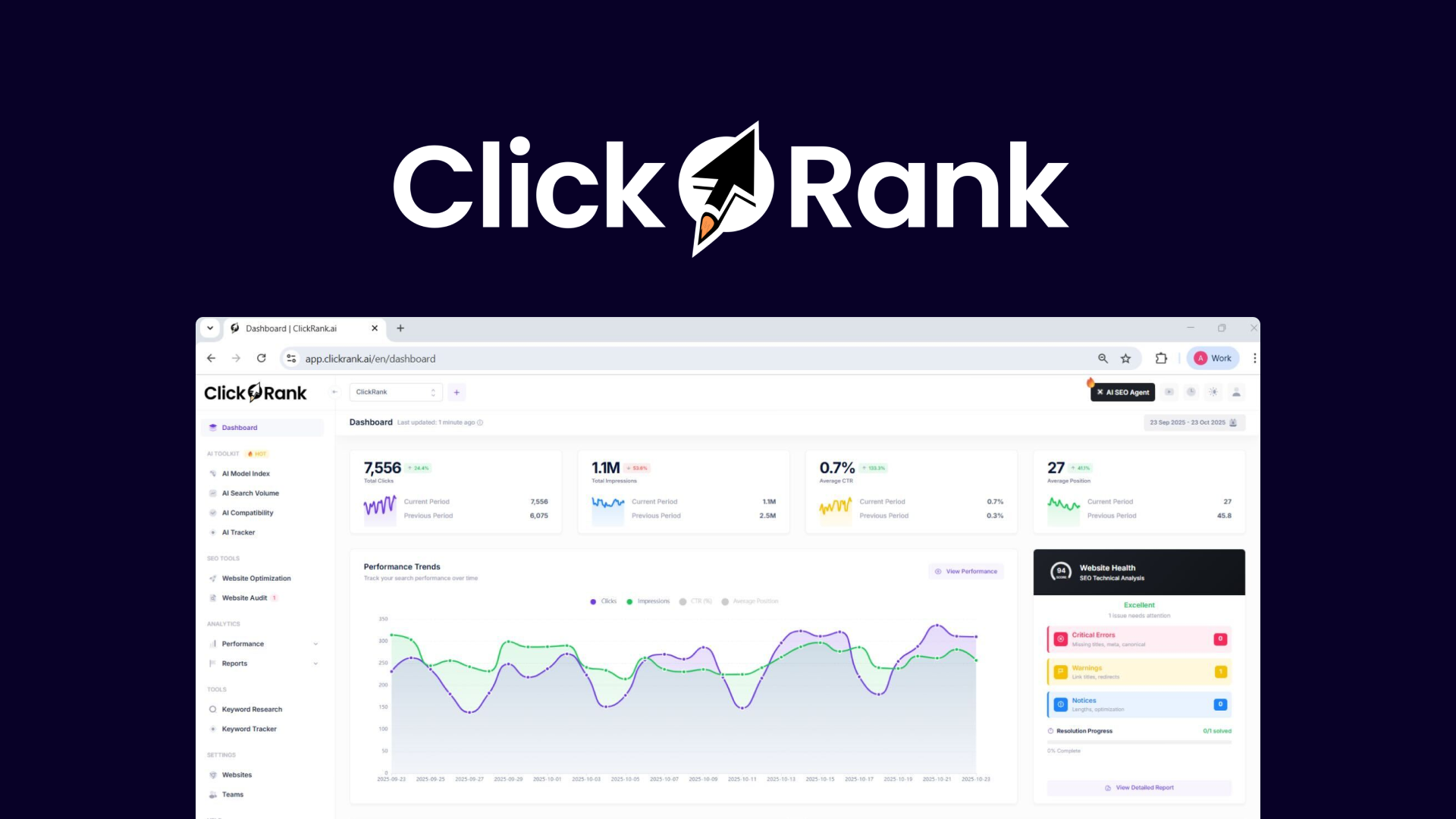
I reach for ClickRank when I need fast, practical fixes rather than another report. Day-to-day I use its one-click and bulk fixes to clear technical debt and tidy meta data, which saves editing time for content teams.
For bigger refreshes I lean on its content spider diagrams to find long-tail opportunities and then test AI-predicted optimizations. It’s approachable and automation-first, so it’s a good fit when you want to reduce manual maintenance and move from discovery to action.
What People Say
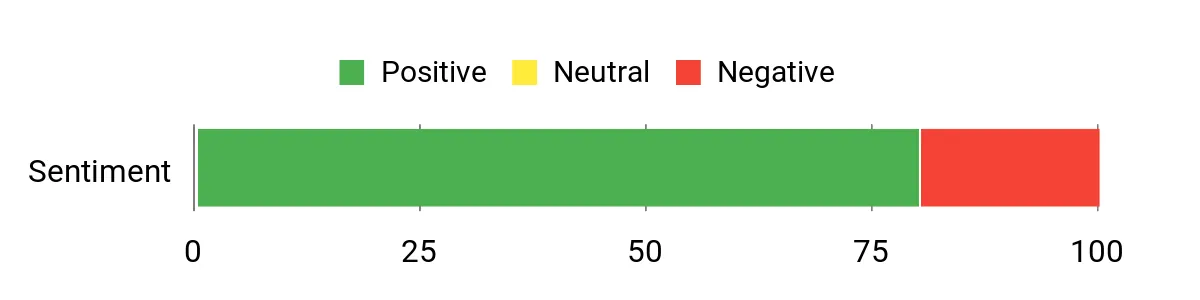
Users appreciate ClickRank for practical automation that turns audits into fixes quickly. Reviews highlight time savings, intuitive workflows, and useful content insights, while a few users report scan/connect issues or overlap with existing SEO plugins.
Overall Sentiment: Positive
🗣️ icon_dino
The one-click fixes are a lifesaver and the automation features saved me hours. The interface is intuitive and I’ve already seen improved visibility on AI search engines, with responsive support when minor bugs appeared.
🗣️ 9985d23b4d26419d9b54cac36f620ee9
ClickRank identifies errors, warnings, and notices and fixes them in bulk. The content spider diagrams gave actionable long-tail ideas and the optimization tools make it fun to see the effects of changes.
Long-Term Cost Benefits
Automating routine fixes and reducing manual meta and schema maintenance lowers editorial and developer hours over time. For sites with deferred maintenance, the cumulative savings in labor can be substantial.
Return On Investment
ROI usually appears as saved staff hours and fewer ad-hoc fixes. If you value reduced maintenance load and faster implementation of recommended changes, the platform pays back through improved operational efficiency rather than instant ranking jumps.
Usability
|
Aspect |
Ease Level |
Notes |
|---|---|---|
|
Setup |
Easy |
Initial connection is straightforward for standard CMS setups. |
|
One-Click Fixes |
Very Easy |
Automates repetitive tasks and reduces manual editing time. |
|
Bulk Optimization |
Moderate |
Powerful for cleanup but requires oversight for schema and complex tasks. |
Performance & Speed
Bulk fixes and scans run quickly for small-to-medium sites; very large audits can take longer and occasional connection problems have been reported by some users.
Integrations
|
Software |
Integration Quality |
|---|---|
|
WordPress |
Good |
|
RankMath Pro |
Variable |
|
AI Assistants |
Good |
|
Various CMS & Multilingual Sites |
Good |
Security
|
Feature |
Protection Level |
|---|---|
|
Auto-Update Controls |
Moderate |
|
Bulk Fix Safeguards |
Moderate |
|
Data Export |
Good |
Collaboration
Supports multi-user accounts and shared reports, though tracking bulk schema completion across a team can be limited and may need manual coordination.
Reporting & Analytics
Provides clear error/warning lists, change previews, and content spider diagrams with AI-predicted outcomes so teams can pick priorities and measure the impact of fixes.
Key Benefits
- Bulk one-click fixes to reduce backlog
- Content spider diagrams for long-tail opportunities
- AI-predicted optimization choices to test variations
Rating: 4.55 (total: 5+)
⭐ Best for Content Teams
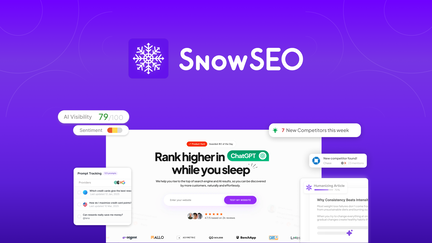
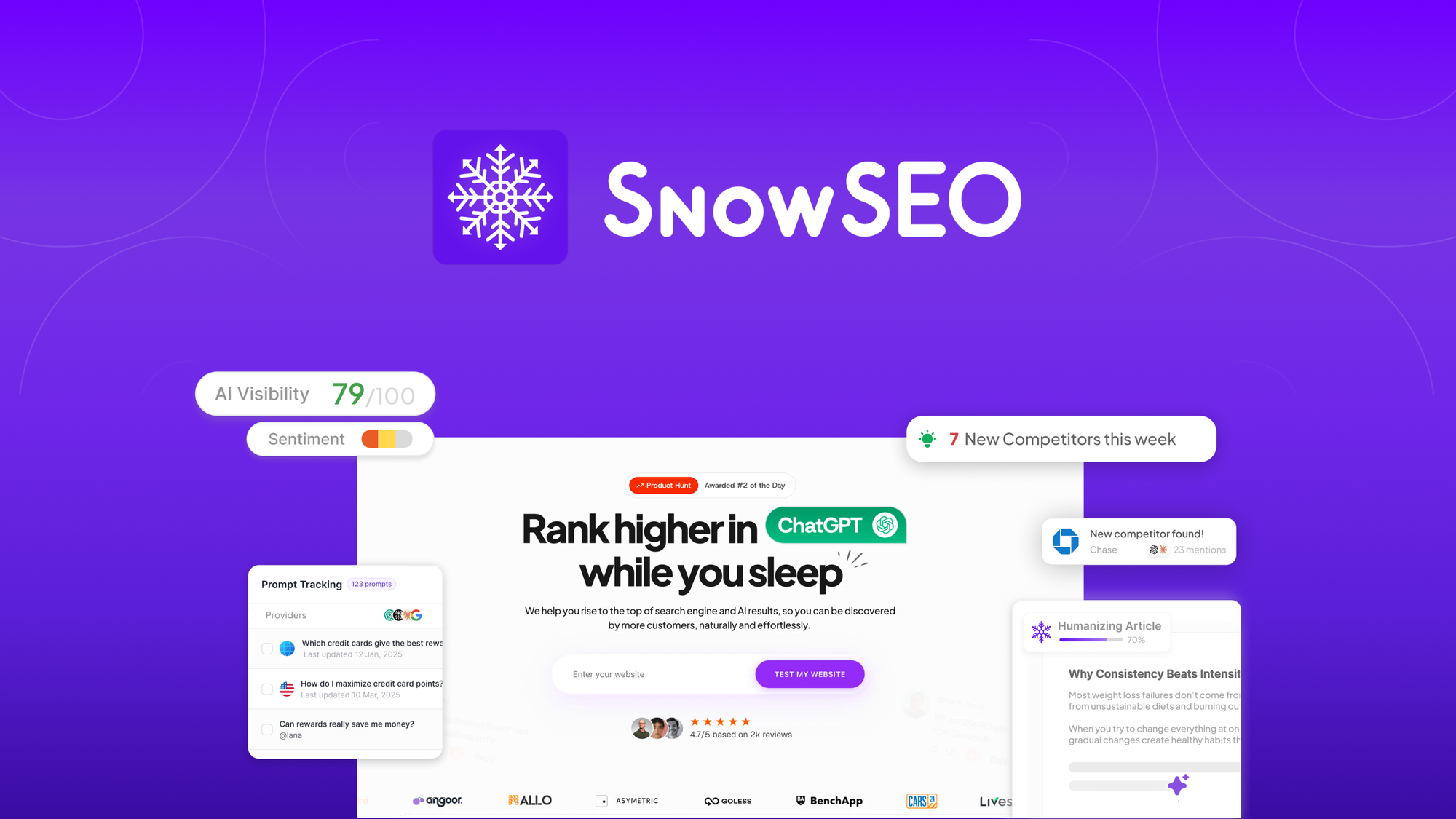
I use SnowSEO when I want a content-first workflow that covers research, drafting, and AI visibility in one place. On routine days I draft with the article generator, schedule with the post calendar, and check AI visibility to see if my brand shows up in assistants.
For launches or editorial sprints I rely on the MCP integration and content tools to move ideas into publishable drafts quickly. It’s a solid choice for teams that want a single hub for content planning and AI-aware optimization.
What People Say
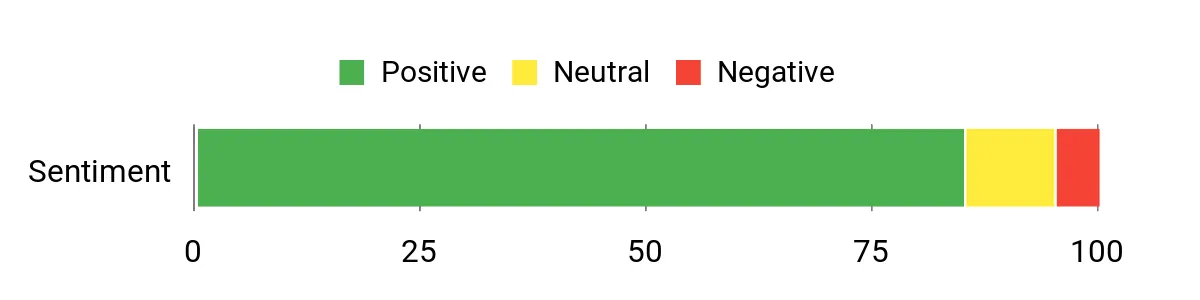
Users highlight SnowSEO’s content tools and AI visibility as the main strengths. Most praise the article generator and clear dashboards, while a few users suggest the platform is broad and will benefit from deeper execution features like backlink outreach.
Overall Sentiment: Positive
🗣️ AppSumoAddict210
The article generator produces structured, publish-ready drafts that save editing time, and the AI visibility layer tracks how my brand appears in ChatGPT and Perplexity.
🗣️ Carsten_SalesRocks
SnowSEO consolidates audits, keyword research, content creation, and AI visibility into a clear dashboard, making it easier to spot opportunities and act on them.
Long-Term Cost Benefits
Consolidating content creation, keyword research, and AI visibility reduces tool overlap and saves team hours over time, especially for editorial teams that publish frequently.
Return On Investment
ROI typically shows as time saved on drafting and clearer editorial priorities. If your team publishes regularly, the workflow efficiency and reduced tool switching deliver measurable returns.
Usability
|
Aspect |
Ease Level |
Notes |
|---|---|---|
|
Onboarding |
Easy |
Guided flows and clear dashboards help non-experts get started quickly. |
|
Article Generator |
Easy |
Produces well-structured drafts that need minimal rework. |
|
AI Visibility |
Moderate |
Powerful data but requires time to interpret and act on trends. |
Performance & Speed
Most tasks run smoothly; heavy MCP operations and large topic maps can take longer but return richer output.
Integrations
|
Software |
Integration Quality |
|---|---|
|
Google Search Console |
Excellent |
|
Claude / MCP |
Excellent |
|
WordPress |
Good |
|
Webflow |
Good |
Security
|
Feature |
Protection Level |
|---|---|
|
Data Access Controls |
Good |
|
MCP Connection Management |
Moderate |
|
Export & Backups |
Good |
Collaboration
Team accounts, shared calendars, and role-based access help coordinate writers and editors with an editorial pipeline that keeps tasks visible.
Reporting & Analytics
Dashboards combine rankings, AI citation visibility, and content performance so you can prioritize pages with clear action items and measure changes over time.
Key Benefits
- Publish-ready article generator that reduces editing time
- AI visibility tracking to monitor citations across assistants
- Centralized editorial calendar and MCP support for automation
Rating: 4.73 (total: 5+)
🔧 Best for Technical Monitoring
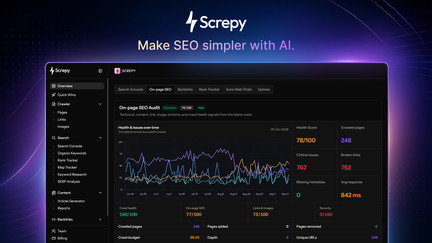
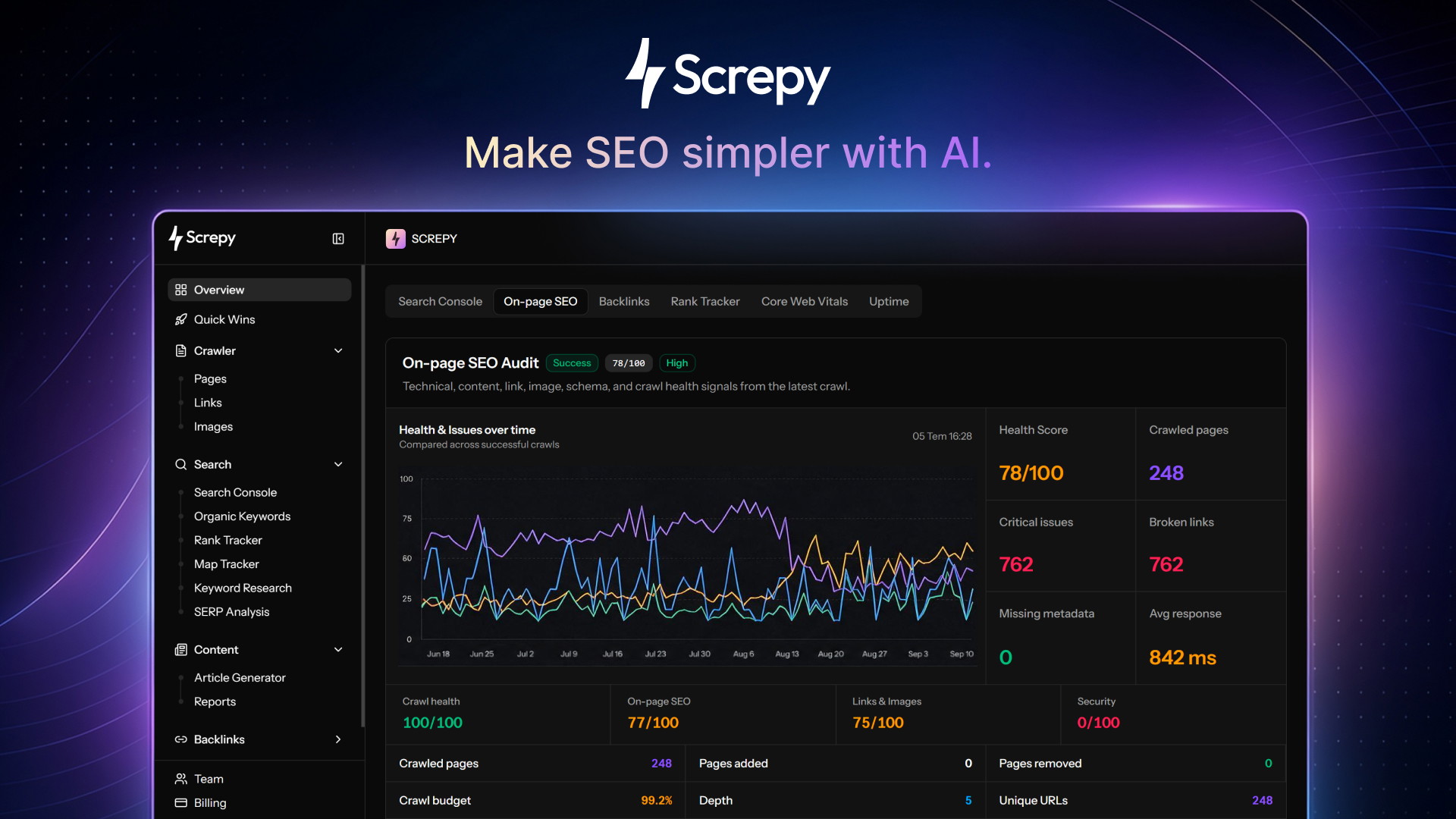
I reach for Screpy when I want affordable, technical monitoring that doesn’t overcomplicate basic site health. On a normal day I use the audit tool to catch broken elements, uptime checks to keep an eye on availability, and the rank tracker for high-level visibility.
For bigger investigations the platform’s rebuilt engine can crawl thousands of pages and surfaces a broad set of checks so I can prioritize fixes. It isn’t flawless—some users have raised concerns about recent feature shifts—but for ongoing monitoring and quick technical audits it’s a practical option I use alongside Search Console.
What People Say
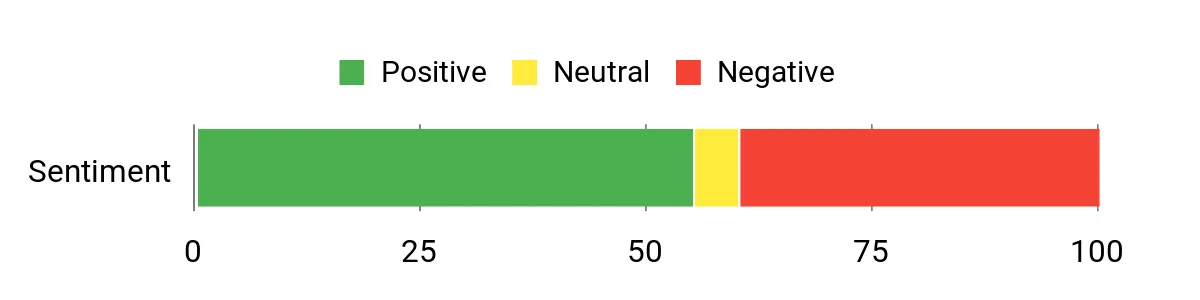
Feedback splits between users who appreciate the expanded crawling and audit depth and others frustrated by recent UI and feature changes. Several reviewers call out strong support and quick fixes, while a subset report lost functionality or access issues after updates.
Overall Sentiment: Neutral
🗣️ davenelson
The rebuild put Screpy on solid ground: 5,000 crawled pages per project, 150 tracked keywords, Google Map Ranking and a 37-check audit made for a thorough technical review. Native MCP integration also made it easy to pull Screpy data into my AI workflows.
Long-Term Cost Benefits
Using Screpy as a single monitoring hub reduces the need for multiple point tools, which can save time for small teams and lower tool overhead when you need uptime, audits, and basic rank checks in one place.
Return On Investment
ROI comes from fewer outages, faster identification of technical regressions, and reduced manual auditing time. The value is more operational stability than instant ranking gains.
Usability
|
Aspect |
Ease Level |
Notes |
|---|---|---|
|
Setup |
Moderate |
Initial connection is straightforward for most sites but some users required help with integrations like Cloudflare. |
|
Audit Tool |
Easy |
The audits surface many actionable checks and are simple to run for routine maintenance. |
|
Rank Tracker |
Moderate |
Useful for quick visibility but currently limited to top results; still lean on Search Console for deeper analysis. |
Performance & Speed
Crawls are fast for small sites and scalable—projects support thousands of pages—but deep audits and large MCP operations can take longer to complete.
Integrations
|
Software |
Integration Quality |
|---|---|
|
Google Search Console |
Excellent |
|
Cloudflare |
Good |
|
MCP / AI Assistants |
Excellent |
|
API / Exports |
Good |
Security
|
Feature |
Protection Level |
|---|---|
|
Cloudflare Integration |
Good |
|
Data Access Controls |
Moderate |
|
Export & Backup |
Good |
Collaboration
Team accounts, project-based reports, and founder-led support help teams coordinate fixes, though some advanced workflow features may be limited for larger agencies.
Reporting & Analytics
Reports combine uptime, technical checks, and ranking summaries with visual audits so you can prioritize fixes; the 37 individual audit checks give a clear picture of technical health.
Key Benefits
- Comprehensive technical audits with many pre-built checks
- High crawl capacity useful for medium-to-large projects
- Native MCP and integrations to feed data into AI workflows
Rating: 4.62 (total: 908+)
FAQ
How Do These Tools Improve AI And GEO Visibility?
I look for platforms that connect your Google Search Console signals to AI visibility so you can see not only rankings but whether assistants cite your pages. In practice that means running audits that surface missing citations, fixing structured data and scannable sections, and using topical maps or GEO crawls to cover local intent.
Use the audit recommendations to prioritize a small set of pages, then re-run citation tracking to confirm progress; treating AI citations as a measurable outcome helps you shift from guesswork to repeatable gains. A useful habit is to combine a visibility dashboard with a content planner so fixes feed directly into publishable drafts.
Which Tool Should I Choose For My Team?
I match the tool to the outcome I need: choose a visibility-first tool if AI citations and prompt tracking matter, a GEO-focused product when local discoverability and AI.json/LLM crawlers are priorities, and an automation-first tool when you need to clear backlog with bulk fixes. For most teams I recommend pairing one platform that uncovers where you’re losing visibility with one that executes fixes—this reduces tool overlap and keeps responsibilities clear.
Before committing I test the GSC/CMS integrations, try a demo or trial, and check how responsive support is because onboarding and clear workflows determine whether a tool becomes part of our process or a dashboard we ignore.
How Do I Prevent And Verify AI-Generated Claims?
I always treat AI drafts as starting points, not finished copy. That means using the platform’s citation tracking and source panels, providing brand docs or expert notes into the content generator, and applying human review before publishing to remove fabricated first-person claims or incorrect specifics. When a tool claims E‑E‑A‑T compliance, I verify sources, cross-check technical statements with manufacturer or primary documentation, and edit any invented credentials or anecdotes.
Build a quick checklist for reviewers focused on factual claims, citations, and unique screenshots so you can scale quality control without slowing the editorial pipeline.
Customer Preferences
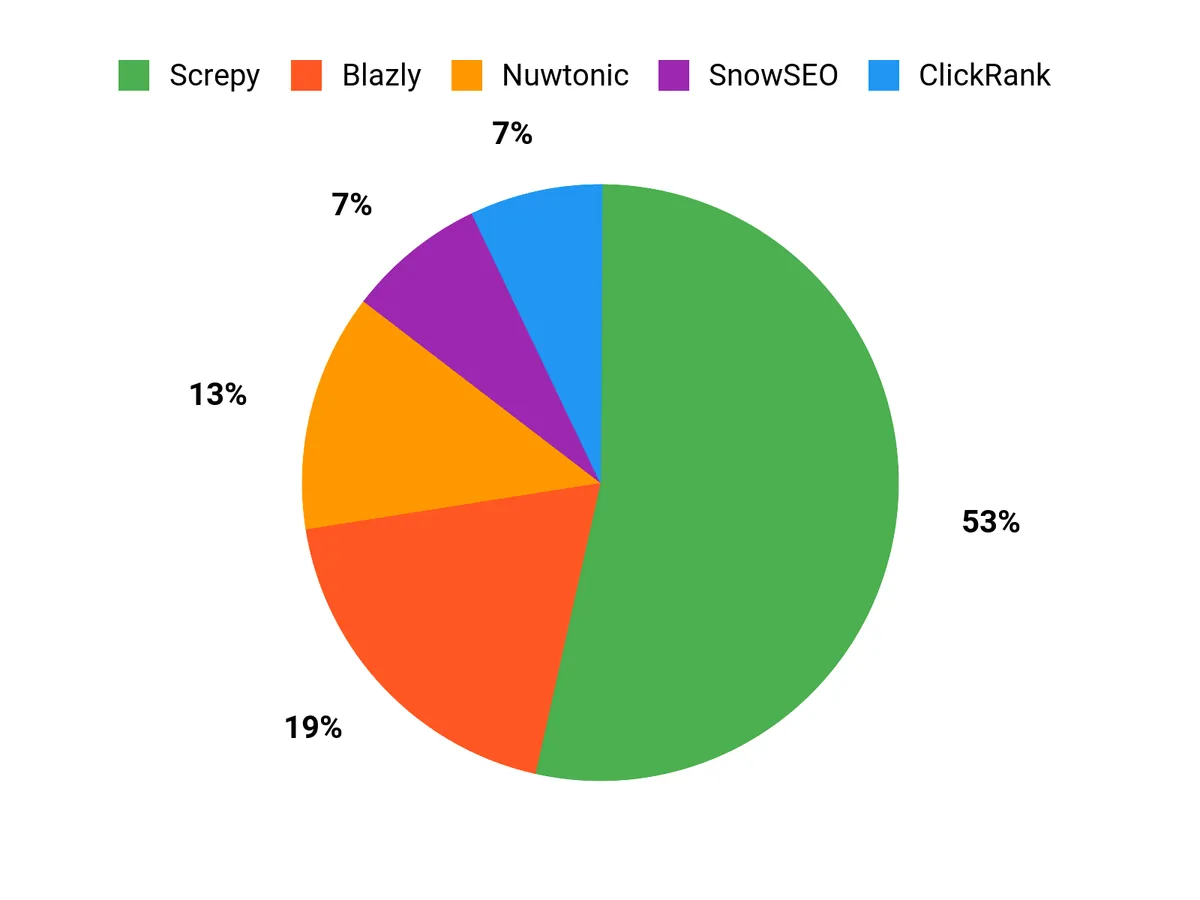
When choosing between Nuwtonic, Blazly, and ClickRank, I see customers prioritize whether they need deep AI citation tracking and GSC-driven visibility, GEO-focused local prompt optimization, or fast automation to clear technical debt. They also weigh integration quality, how easily recommendations turn into publishable content, and the level of support, since a tool only delivers value when teams can use it reliably.
Wrapping Up
In my view, SEO and GEO tools in 2026 must do more than report problems; they should help you get cited, publish cleanly, and maintain technical health at scale. I recommend Nuwtonic when your priority is tracking and winning AI citations, SnowSEO if content generation and a clean editorial workflow matter most, Blazly for focused GEO strategies, ClickRank when you need fast bulk fixes and automation, and Screpy for affordable technical monitoring and uptime checks. Pick the tool that maps to your immediate goal and budget, and plan to pair one visibility-focused platform with one execution-focused tool so you can both discover opportunities and turn them into results.
| Product Name | Image | Rating | Key Highlights | Target Audience |
|---|---|---|---|---|
| Nuwtonic SEO |
 |
4.62/13 |
|
Marketers, Marketing Agencies, SaaS Providers |
| Blazly GEO & SEO – Plus Exclusive |
 |
4.55/5 |
|
Bloggers, Content Creators, Solopreneurs |
| ClickRank |
 |
4.55/5 |
|
SEO Professionals, Digital Marketers, Website Owners |
| SnowSEO |
 |
4.73/5 |
|
Content Creators, SEO Agencies, Digital Marketers |
| Screpy – Plus Exclusive |
 |
4.62/908 |
|
Website Owners, SEO Professionals, Digital Agencies |
Some Roundups users participate in affiliate programs including the Amazon Services LLC Associates Program, or Impact, affiliate advertising programs designed to provide a means for creators to earn fees by linking to websites. Participating users may earn a referral commission from qualifying purchases.